09:41 · First scan of the day
How it works

From guest scan to staff action.

Every lounger interaction becomes part of a managed fair-use process — QR-led, no hardware required. Here is the whole loop, for guests, staff, and the rules that keep it fair.
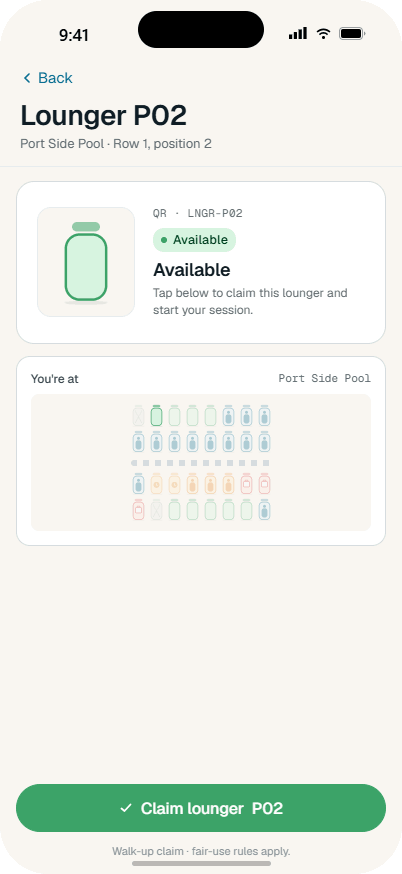
09:41 · First scan
The guest side

Check, book, or request help — by scanning the actual lounger.

Guests get fairness, clarity, and a safe way to raise issues. They are never expected to enforce the policy themselves.

Slounger guest app — scan screen
1
Every lounger is a touchpoint

Scan the QR on any lounger or zone sign.

Every lounger carries a QR code, making it a managed touchpoint. A scan opens live status — free, held, booked, or under review — plus the fair-use rules in force right now. Guests act at the exact point of need, with no app to hunt through.

Slounger guest app — home screen
2
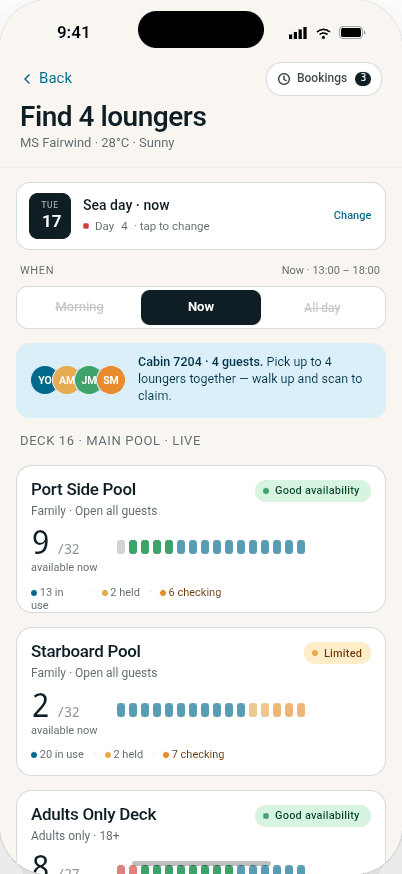
Genuine availability

See what is actually usable, not just present.

Availability reflects real use, live to within seconds. A lounger blocked by a towel for hours is not shown as free-for-the-taking — it is shown for what it is: unused capacity the system is already tracking.

Slounger guest app — zone screen
3
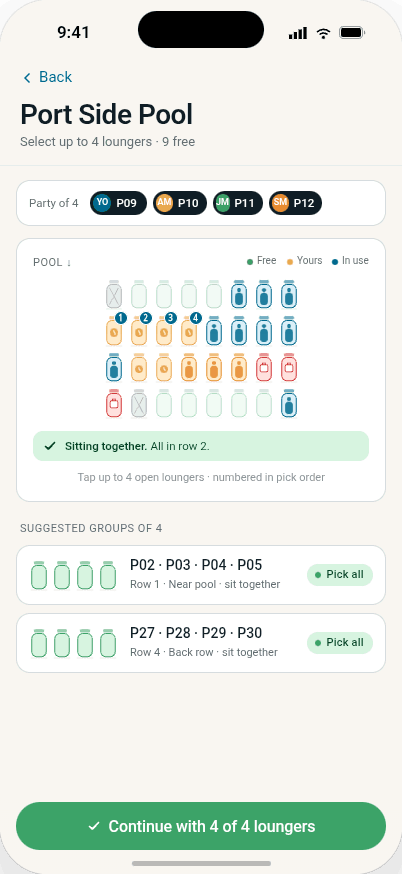
Walk-up access

Claim, book, or walk up — fairly.

Guests claim an available lounger on the spot, book a part-day slot, or take a fair run of seats for the whole party. Fair access in the moment — not just for whoever rose earliest to lay towels.

Slounger guest app — active screen
4
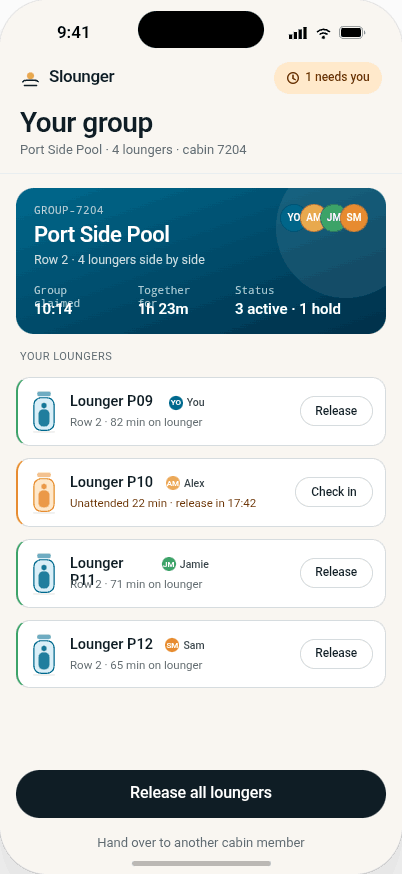
Fair-use session

A lounger is held while it is genuinely used.

An active session shows what the guest holds and under what rules. Grace periods protect genuine use — a swim, lunch, a water slide — while preventing all-day blocking.

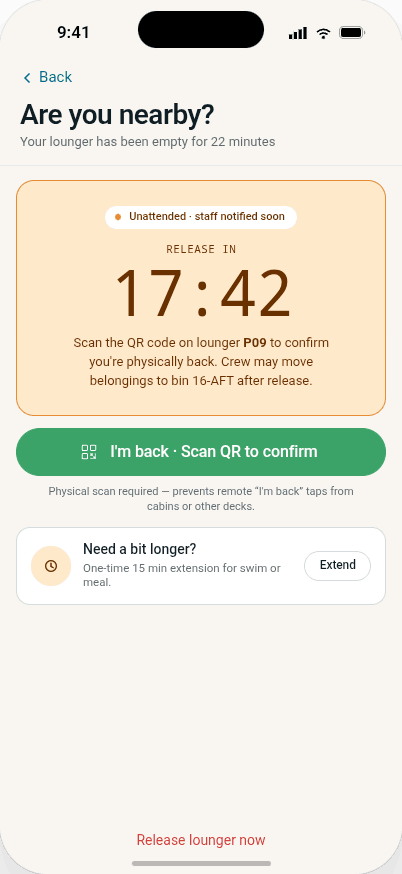
Slounger guest app — warning screen
5
No confrontation

Request a staff check — never move a towel.

Sees a lounger blocked for hours? The guest scans it and requests a staff check. No moving towels, no arguing with strangers, no informal escalation. The issue routes to staff, where enforcement belongs.

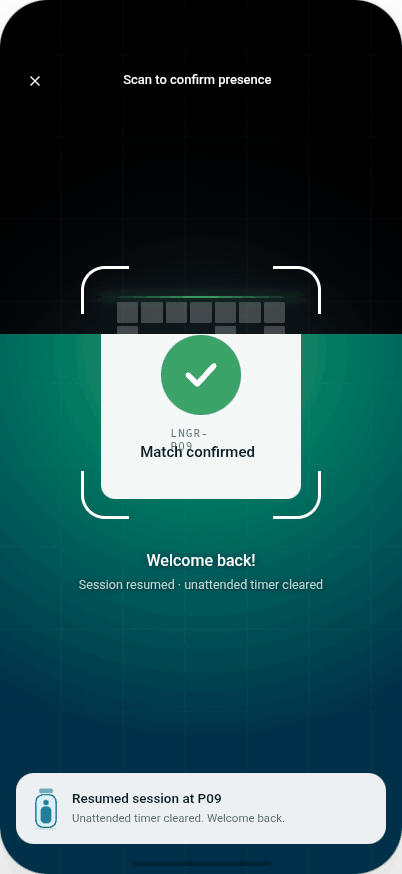
Slounger guest app — rescan screen
6
Presence, confirmed

Presence is confirmed by rescanning.

Clearing a warning takes a physical rescan of the same lounger — you cannot reset a timer from across the pool. Every confirmation is timestamped and written to the record.

09:44 · Task accepted
The staff side

A fair, repeatable process for the awkward moments.

Staff need more than a rule on a sign. The workflow tells them what to check, what is allowed, and logs the outcome — reducing flashpoints between guests and staff alike.

Slounger staff dashboard
1
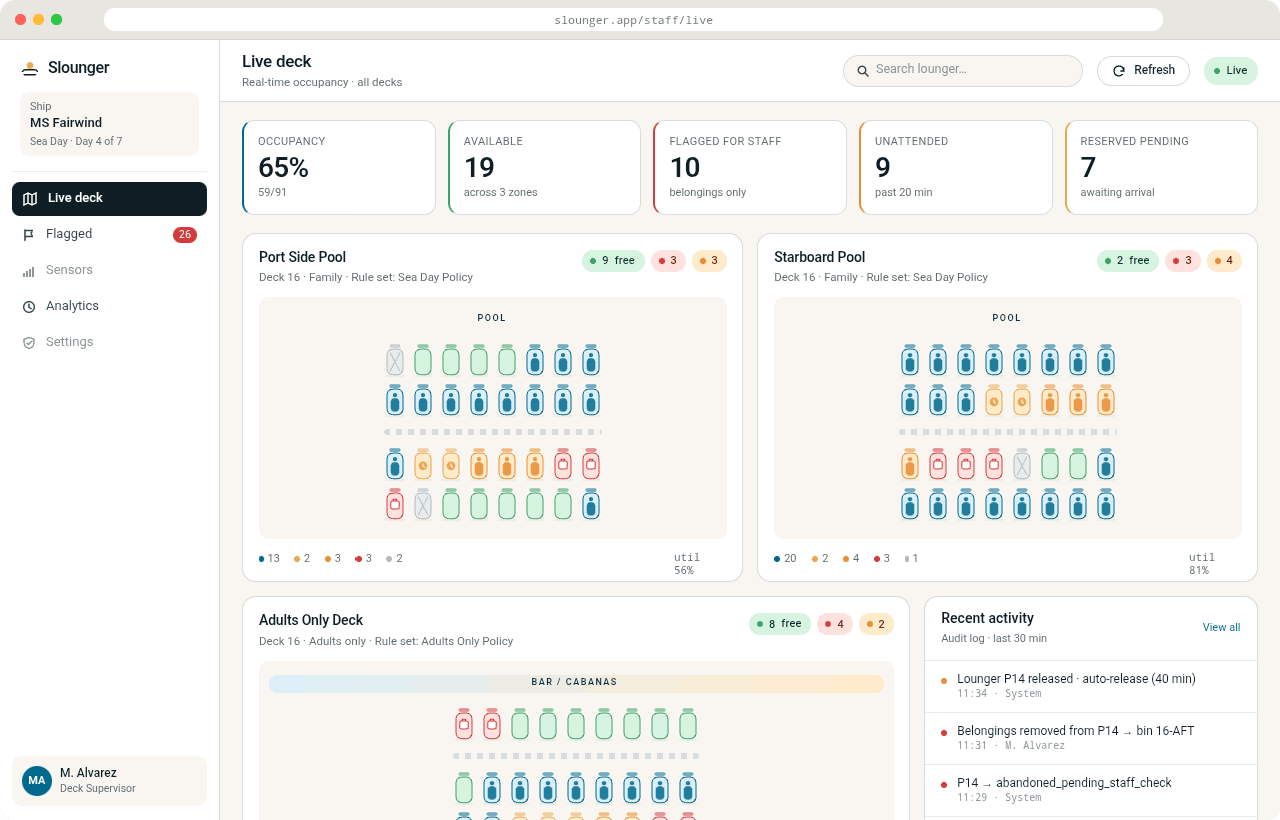
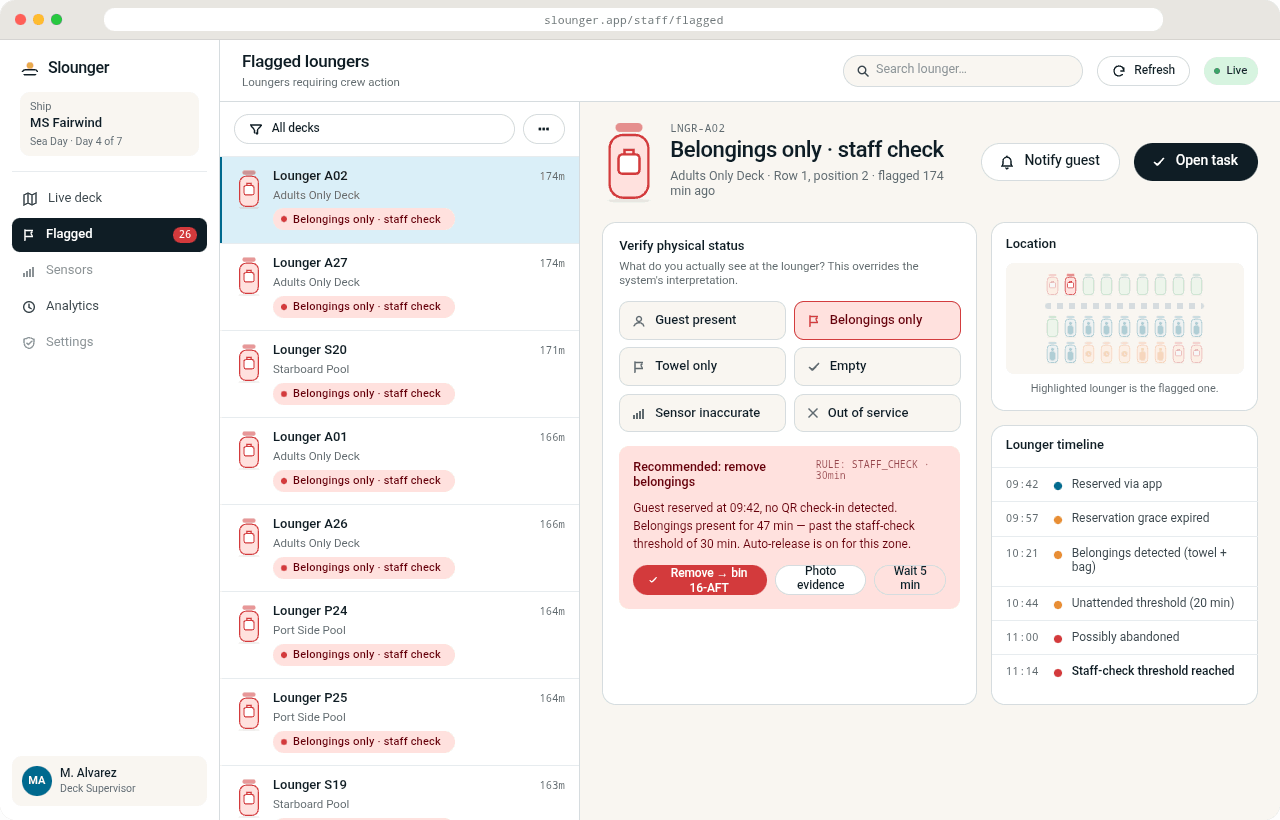
A task, not a judgement call

Guest requests become staff tasks.

Every guest report lands in the staff app as a task tied to the exact lounger — with the policy context attached. Staff see which loungers need attention, what action is allowed, and what has already happened.

Slounger staff dashboard
2
Defined actions

Check. Grace period. Release. Reassign. Escalate.

Staff verify the reported lounger and act within a defined workflow: confirm occupied or unused, start a grace period, release, block for maintenance, reassign a guest, escalate a dispute, add a note. Consistent decisions replace subjective calls made in front of guests.

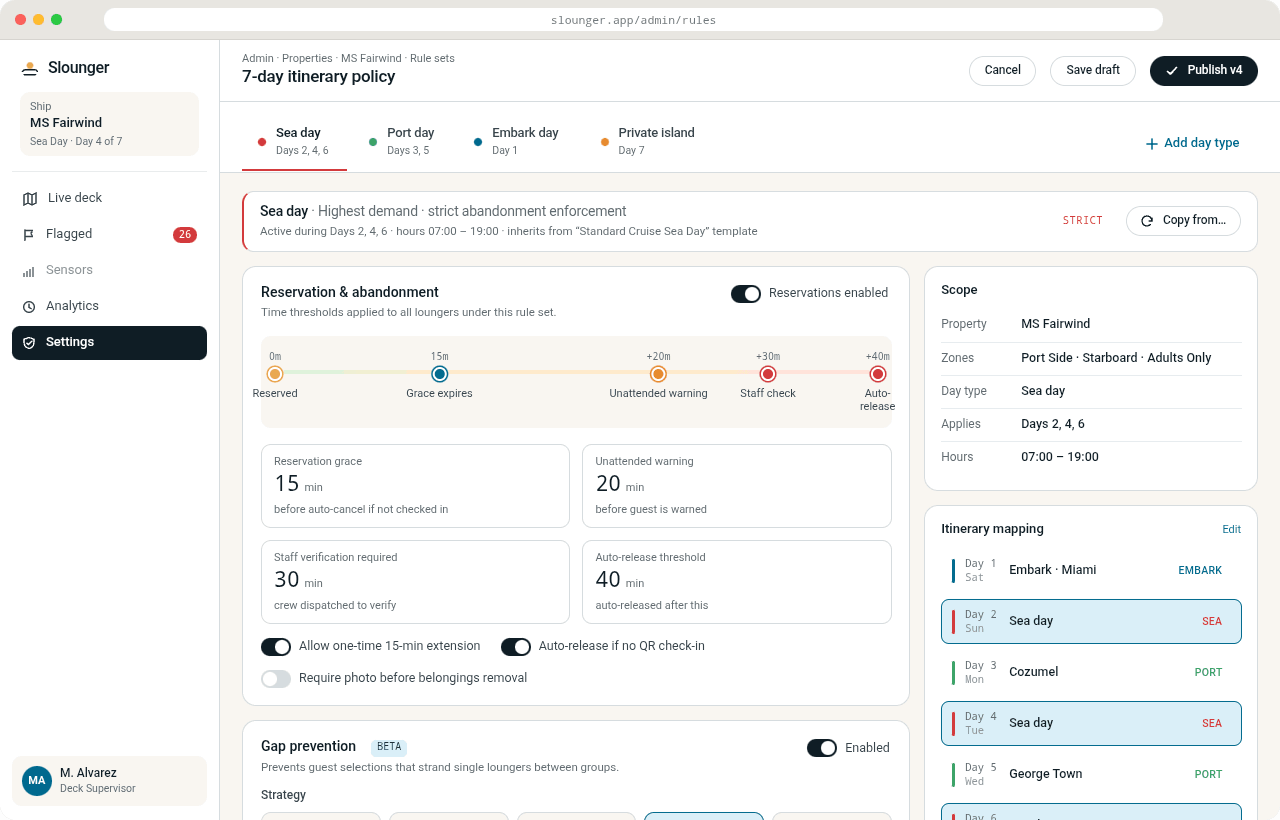
Sea day · Strict profile
The rules engine

Fair and predictable enforcement.

Grace periods and no-show rules protect genuine use while preventing all-day blocking. Profiles map each day to the right policy — strict at peak, relaxed when quiet — so enforcement is never arbitrary or selective.

PeakStrict — short grace periods, active no-show release
Off-peakRelaxed — longer absences tolerated
Arrival dayOpen seating until evening
Premium areaReservation-led, strict turnover

A consistent workflow also protects you from accusations of arbitrary or selective enforcement — every guest is treated the same way, every day.

Slounger admin console
And it all goes on the record

Guest issues are not ignored — they are routed, checked, actioned and recorded.

Every request, check, grace period, release and override carries an actor, a timestamp and a reason. That audit trail is what turns a fair-use policy from a sign by the towel station into evidence of active management.

Start with one zone

Pilot it where the pressure is highest.

Start with a QR-led pilot in one zone and measure the impact on complaints, staff response, guest flashpoints and usable availability.

Not sure yet? Assess your sunbed management risk
QR-led — no hardware · Setup done for you · Live in weeks · Every action logged
Or email hello@slounger.app — tour operators: ask about partner-property fair-use management.